Recently I went through my repositories and counted the agent instruction files. I found a CLAUDE.md at the root, an AGENTS.md next to it, a .github/copilot-instructions.md, a .claude/rules/ directory, and in one repo a leftover .cursorrules from an editor I tried for a week. Each of them was written for a different tool, and none of them had kept up with the others.
I started counting because of a debugging session. An agent kept breaking a convention I was sure I had written down, and it turned out I had written it down, just in the file that a different tool reads. The copy this agent was reading predated the convention by about two months. There was no error anywhere, as the agent read its file and followed it correctly; I just had four files claiming to be the rules, and three of them were stale.
So, how many of these files does a repository actually need? The answer I landed on is one, plus symlinks. I wrote the procedure down as the standardize-agent-instructions skill in the dev-utilities plugin of the Agent Skills Marketplace.
How a Repo Ends Up with Four Rulebooks
In my repos the copies arrived one tool at a time. Someone adopts Claude Code and writes a CLAUDE.md. Then Copilot code review wants .github/copilot-instructions.md, so the content gets pasted there. Eventually a third copy appears in AGENTS.md for Codex and the growing list of tools that read it. From then on, whenever a convention changes, whoever changes it updates the file their own tool reads, and the other copies keep the old version.
The Layout: One Real File Behind Many Names
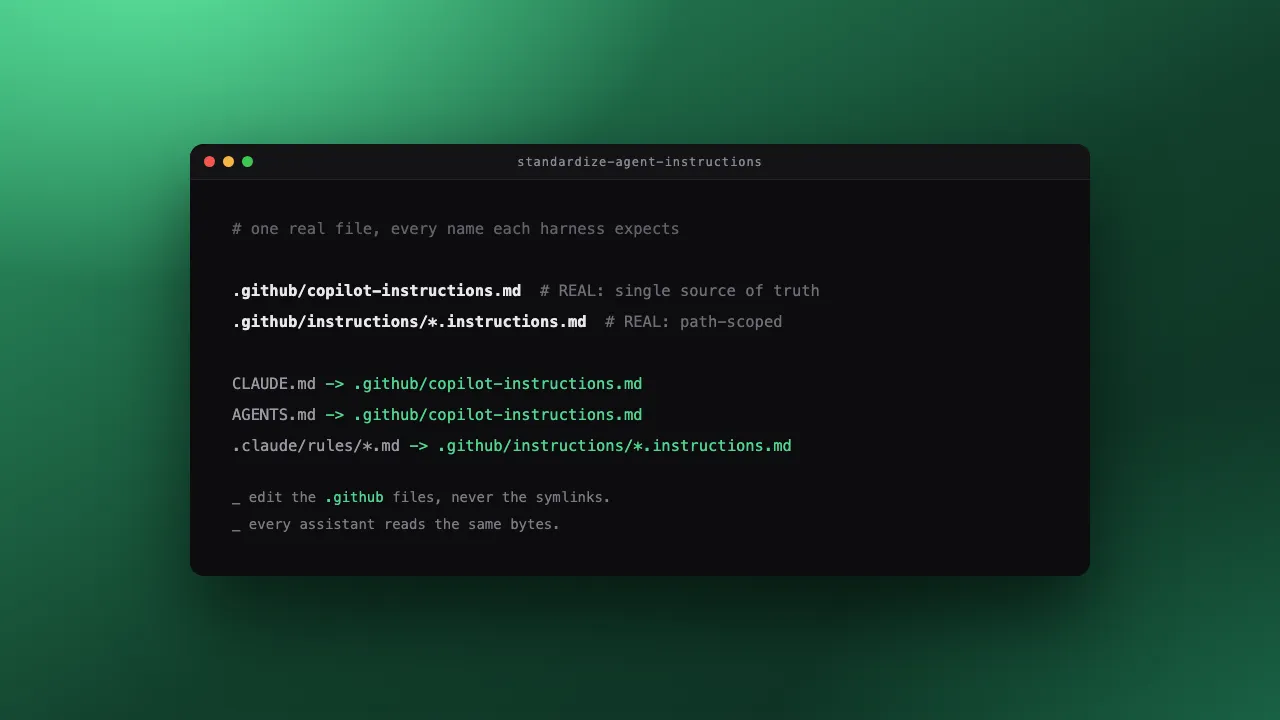
The skill converges a repository onto a single rule. The .github files are real, and everything else is a symlink to them.
.github/copilot-instructions.md              # REAL: global instructions
.github/instructions/<name>.instructions.md  # REAL: path-scoped rules
CLAUDE.md  -> .github/copilot-instructions.md
AGENTS.md  -> .github/copilot-instructions.md
.claude/rules/<name>.md -> ../../.github/instructions/<name>.instructions.md
Each harness finds the file it expects, every path resolves to the same bytes, and editing the .github file updates every assistant at once.
Why is the Copilot path the real one and not, say, AGENTS.md? Copilot's instruction discovery runs server-side during code review, and it's undocumented whether it follows a symlinked .github/copilot-instructions.md. Every other consumer reads from a local checkout, where symlinks behave normally. So I point the symlinks at the one consumer I can't inspect.
Path-scoped rules need one extra move. Copilot reads the scope from an applyTo: frontmatter key with a single glob string, whilst Claude Code reads a paths: key with a list. So the skill gives each .github/instructions/<name>.instructions.md both keys with the same globs:
---
applyTo: 'src/components/**'
paths:
  - 'src/components/**'
---
What the Skill Automates
Applying the layout by hand took me about an afternoon the first time, so I turned it into a skill. Given a repo, the skill does the following:
- It inventories every instruction file and notes which ones are already symlinks.
- It merges the divergent copies into one
.github/copilot-instructions.md, keeping every non-duplicate instruction and asking me only when two rules genuinely contradict. - It consolidates the path-scoped rules with the dual frontmatter.
- It creates the symlinks and updates in-repo references to point at the real files.
Most of the skill's length covers traps rather than the main path, and every trap is in there because I hit it:
- Repositories often gitignore
CLAUDE.mdor.claude/, which makesgit add -Askip the new symlinks without any error and the migration land half-done, so the skill runsgit check-ignoreexplicitly and confirms the symlinks are staged with git's symlink mode. - The same file gets read at the repo root through the symlinks and at
.github/directly, so no relative Markdown link inside it resolves correctly from both depths. The skill writes references as root-anchored paths instead. - Native Windows checkouts (outside WSL2) need Developer Mode for symlinks, so for repos with those contributors the skill swaps the root files to Claude's
@-import syntax.
The last step is verification. You head each symlink and confirm it prints instruction content and not a path string, and then you grep that every path-scoped file carries both frontmatter keys.
Try It on Your Own Repo
The skill installs from the marketplace into Claude Code:
/plugin marketplace add EthicalML/agent-skills-marketplace
/plugin install dev-utilities@agent-skills-marketplace
or into Copilot CLI:
copilot plugin marketplace add EthicalML/agent-skills-marketplace
copilot plugin install dev-utilities@agent-skills-marketplace
Then ask your assistant to standardise the agent instruction files in the repository, and read the pull request it opens. The repository behind this site runs the resulting layout.
The rest of the catalogue is covered in Announcing the Agent Skills Marketplace, and my opinions on how a skill like this one should be written are in How to write an agent skill.